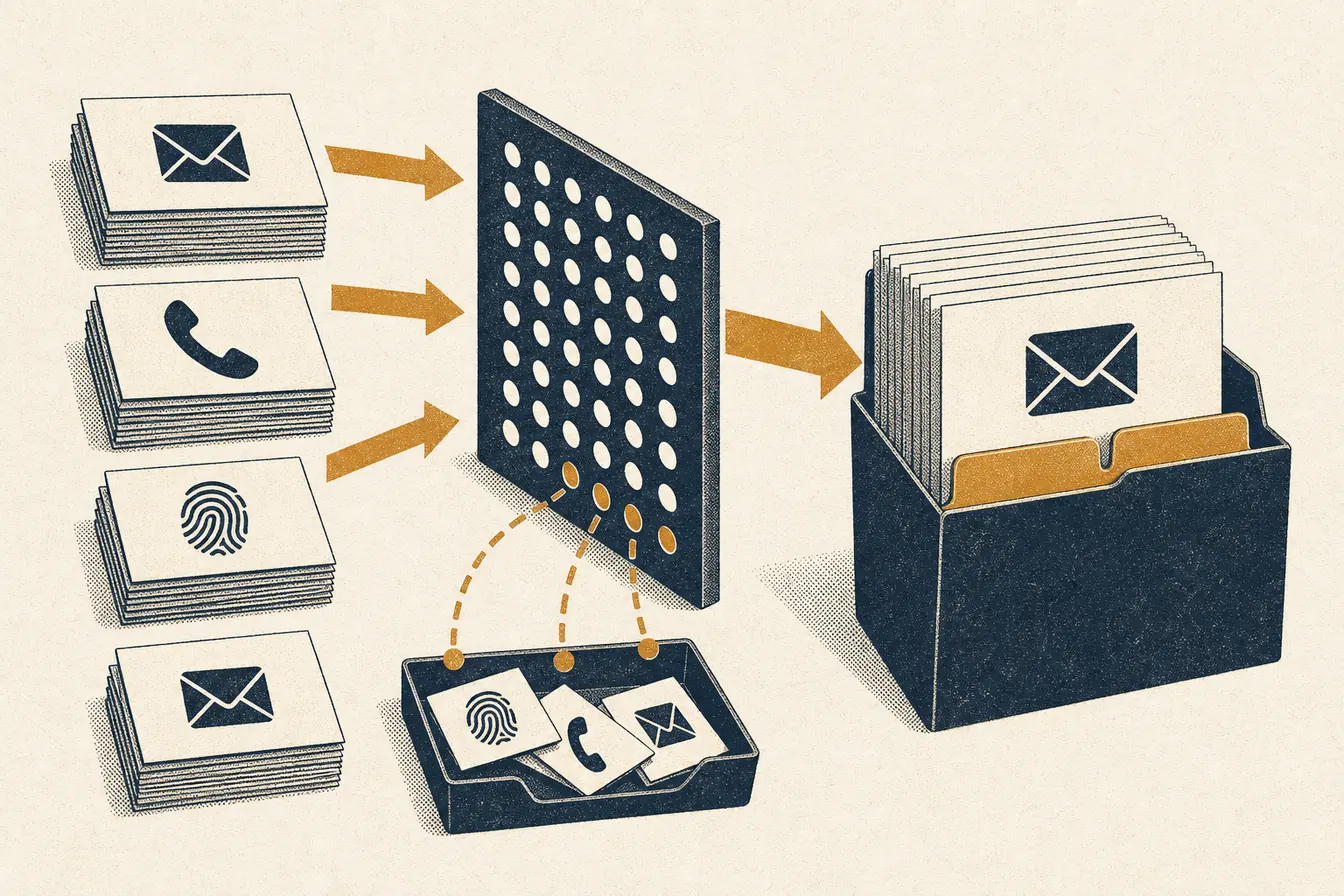
ChatGPT Ads custom audiences let an advertiser upload a first-party customer or prospect list and use the matched audience in campaign delivery. A ready audience can limit a campaign to known people, exclude existing customers, or adjust an ad group’s maximum bid for a matched viewer. The hard requirement is audience size: at least 25,000 users must match before the audience can be used. OpenAI recommends 100,000 or more.
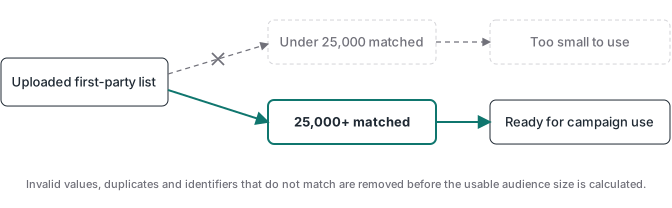
The word “matched” does the work here. A file with 25,000 rows is not a 25,000-person audience. Duplicate records, invalid values, and identifiers that OpenAI cannot match are removed from the usable count. Teams close to the floor should treat 25,000 as a post-processing result, not an upload target.
What are ChatGPT Ads custom audiences?
A custom audience is a reusable audience object created in OpenAI Ads Manager from identifiers your business already holds. The current workflow accepts email addresses, phone numbers, SHA-256 hashed email addresses, or SHA-256 hashed phone numbers. One file carries one identifier type. Once processing finishes, Ads Manager assigns a status and makes an audience with enough matched users available to campaigns and ad groups. It does not show you which individuals matched or let you pick a person from the result. That distinction matters. This is an audience control built from a list, not a customer database inside Ads Manager. Your source system still owns collection, permission, corrections, suppression logic, and retention. The upload is a dated snapshot of that source. OpenAI’s custom audience setup documentation also says an existing audience cannot be edited. To change the list, create a new audience and archive the old one.
What does the 25,000 matched-user minimum mean?
The minimum applies after processing. OpenAI counts the identifiers it can match into the audience, not the number of lines in your CSV or TXT file. A 40,000-row export can still finish as Too small if it contains old addresses, duplicates, invalid formatting, or people who cannot be matched. The same rule applies when campaign inclusion and exclusion are combined: the eligible audience left after exclusions must still contain at least 25,000 matched users. OpenAI recommends starting with at least 100,000 users, which gives the audience more room after processing and makes the result less fragile when exclusions are applied. There is no honest universal upload-to-match ratio because list quality and source mix differ. Use your first processed audience as the baseline. Record uploaded unique rows, matched size, source date, identifier type, and audience status. That turns the next refresh into a measurable operation instead of another blind export.
Which first-party list should you upload?
Start with an audience group tied to a real campaign decision. A giant list of everyone who ever touched the business is easy to export and hard to reason about. A better file has one purpose, a clear source date, and a documented rule for who belongs in it. Existing customers may belong in an exclusion audience for an acquisition campaign. Qualified prospects may belong in an inclusion audience. High-value customers can support an ad-group bid adjustment when the campaign remains broadly eligible. Keep these uses separate so a later refresh does not quietly change campaign logic.
| Business question | Source group | Likely audience use |
|---|---|---|
| Who should not see a new-customer offer? | Current customers or recent purchasers | Campaign exclusion |
| Which known prospects should be eligible? | Qualified leads with a current advertising permission state | Campaign inclusion |
| Which viewers justify a different maximum bid? | A documented high-value customer group | Ad-group bid adjustment |
| Which records need another cleanup pass? | Invalid, duplicated, stale, or untraceable identifiers | Do not upload yet |
First-party does not mean unrestricted. Use data collected directly by your business only for a purpose covered by your notices, choices, contracts, and applicable rules. If the source system cannot tell you where an identifier came from or whether it belongs in this activation, the export is not ready.
How should you format the audience file?
Prepare a valid UTF-8 CSV or TXT file. OpenAI currently allows files up to 500 MB and as many as 5,000,000 identifiers. TXT uses one identifier per line. A CSV may include a header or no header; when it has a header, use the documented name for the selected type: email, phone_number, email_sha256, or phone_number_sha256. Do not mix identifier types in one file.
Use this cleanup order before the upload:
- Freeze the audience rule and export date.
- Select one identifier type for the file.
- Remove blank rows and exact duplicates.
- Normalize the identifier in the same way the platform expects.
- Validate the file encoding and header.
- Count unique valid rows and save that count with the audience name.
For raw email, Ads Manager normalizes uppercase letters to lowercase and trims leading or trailing spaces. Internal spaces are invalid. Phone numbers need E.164 format with + and the country code. If you hash, normalize first. A hashed email or phone must be a 64-character SHA-256 hexadecimal digest. Hashing makes the upload file less directly readable, but the hash is still a stable identifier. Treat it as customer data and protect it accordingly.
How do you create the audience in Ads Manager?
The documented creation path is short. Go to Settings, open Audiences, select Create custom audience, name the audience, choose the identifier type, upload the file, review the details, and create it. Processing usually takes 20 to 30 minutes, although a large file may take longer. Uploaded source files are deleted after processing, usually within 24 hours, according to OpenAI’s current documentation.
Use a name that survives handoffs. A practical pattern is source, audience group, identifier, and export date, such as crm_existing_customers_email_2026_08_16. The audience itself cannot be edited, so the date prevents an operator from assuming an old snapshot is current. If the source changes, create the replacement first. Confirm it reaches Ready, update the campaign or ad group, then archive the old audience. That order keeps a usable object in place while the replacement processes.
The status tells you what to do next:
| Status | Meaning | Operator action |
|---|---|---|
| Processing, Upload pending, Indexing, or Publishing | The audience is still being prepared | Wait and check again |
| Ready | Processing finished and the matched minimum was met | Attach it to the planned campaign control |
| Too small | Fewer than 25,000 users matched | Review list size, age, formatting, and audience scope |
| Failed | The file could not be processed | Check UTF-8, one-type-only structure, size, and headers |
How should you use inclusion, exclusion, and bid adjustments?
Inclusion and exclusion change campaign eligibility. An inclusion audience limits delivery to people in at least one selected ready audience. An exclusion audience removes matched people from otherwise eligible delivery. You can use both in one campaign, but the audience left after exclusions must still clear the 25,000 matched-user floor. The same custom audience cannot be both included and excluded in one campaign.
Bid adjustments work differently. At the ad-group level, a ready audience can receive a multiplier from 0.1x to 10x. The multiplier changes the maximum bid when a viewer matches; it does not make that person eligible by itself. If a viewer belongs to several selected audiences, the highest matching multiplier applies. That can create a larger bid change than an operator expects, so document overlapping lists before launch.
Choose the control from the business question. Use inclusion when the campaign is meant only for a known group. Use exclusion when a known group should not receive the offer. Use a multiplier when broad eligibility stays intact but one audience has a different value. Do not use all three simply because the interface permits it.
Why is audience upload separate from conversion tracking?
A custom audience answers a delivery question about a matched person. ChatGPT Ads conversion tracking answers a measurement question about an event after an ad interaction. One does not update the other. The current documented audience workflow is a file upload, while conversion measurement uses the browser Pixel and can add server events. A successful purchase event does not automatically rebuild your audience snapshot, and a ready audience does not prove that conversion events are valid.
Keep two operating records. For audiences, track the source group, export date, identifier type, unique rows, matched size, attached campaigns, and replacement date. For measurement, track the event source, click reference, event ID, browser and server delivery, and deduplication. The server-side GTM guide covers the delivery layer. The ChatGPT Ads server-side GTM walkthrough shows why a verified payment event needs its click reference stored before the webhook arrives.
This separation is useful. Your list can decide who is eligible while a verified backend state decides which purchases count. The audience controls delivery; the event pipeline protects measurement quality.
What should you check before using the audience?
Check the source, the file, the match result, and the campaign rule. The source should have a clear owner and purpose. The file should contain one normalized identifier type with duplicates removed. The audience should be Ready and comfortably above the threshold after any exclusions. The campaign should use inclusion, exclusion, or a bid multiplier because that control answers a specific business question.
Then test the measurement path separately. If a campaign targets known prospects but records every thank-you page as a purchase, the audience setup cannot fix the conversion count. Advanced Tracking Academy gives media buyers and agencies maintained GTM containers for verified server-side conversion flows, with implementation guidance and support. Use the audience upload to control delivery, then use a verified event source to tell Ads Manager what actually happened.