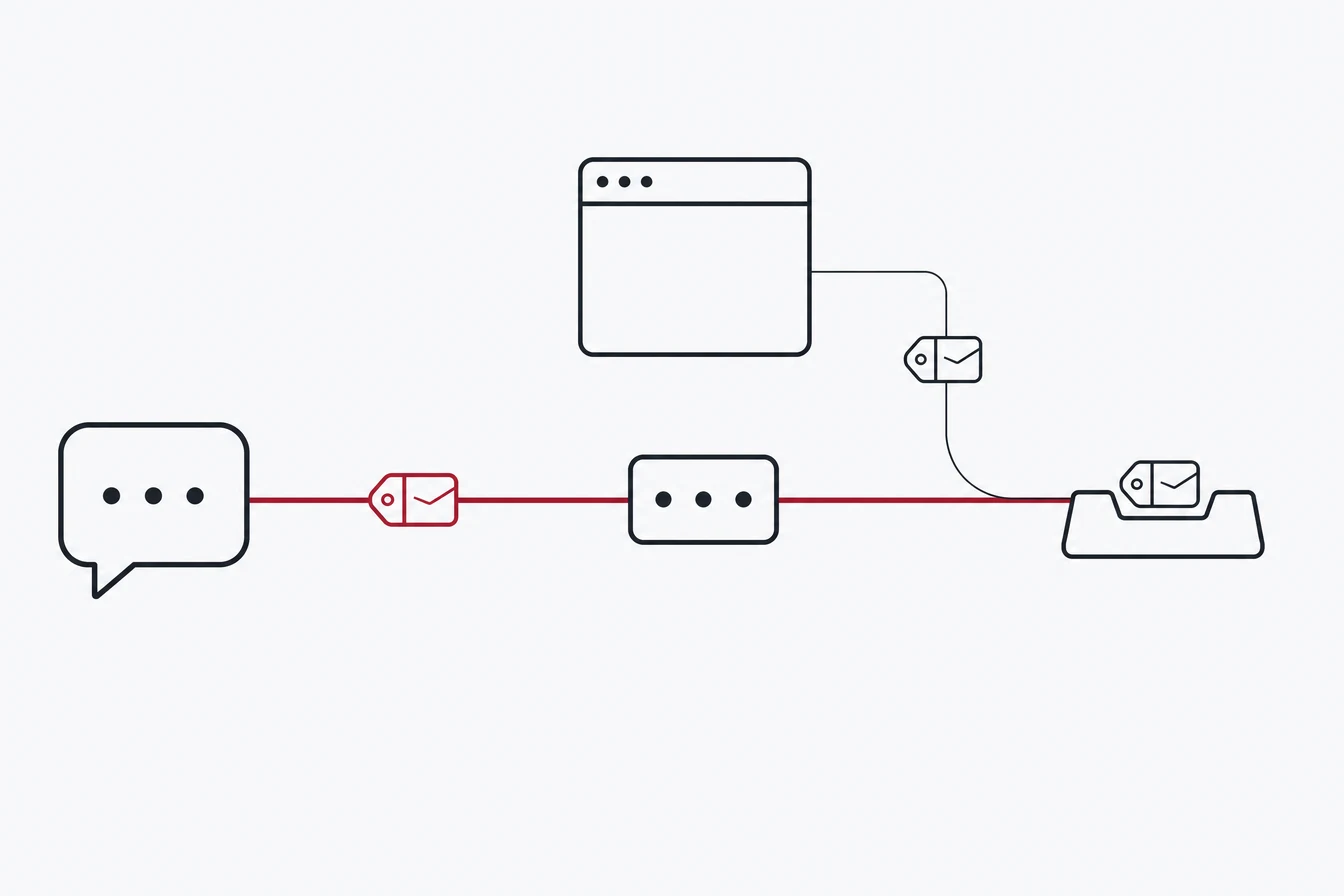
ChatGPT Ads conversion tracking is OpenAI’s system for connecting an ad click to a later action, such as a lead, purchase, or subscription. It combines the oaiq browser pixel, the server-side Conversions API, and the oppref click ID. When the browser and server report the same action, a shared event ID prevents double counting.
OpenAI’s measurement stack looks familiar if you have wired Meta before: a browser pixel, a server-side Conversions API, and a shared event ID that keeps the two from double counting. The part that catches people is that the server side does not pick up the click identifier on its own, and OpenAI’s docs mention that in one sentence. Miss it and your dashboard fills with conversions that no campaign gets credit for.
Here is the whole surface, what each piece actually does, and the specific places a build goes quiet.
The three ways to send an event
OpenAI ships three first-party methods. They are not alternatives so much as layers.
The JavaScript pixel loads from bzrcdn.openai.com/sdk/oaiq.min.js and exposes a global called oaiq. You initialise it with a Pixel ID, and it fires a page_viewed event by itself. Everything after that is an explicit call.
The Conversions API is a server-side POST to bzr.openai.com/v1/events, with the Pixel ID as a query parameter and a separate bearer key for auth. This is where refunds, subscription renewals, CRM-side lead qualification and anything that happens after the browser closes belong.
The image tag is a 1x1 GET for pages where you cannot run JavaScript. It exists, it works, and it is the weakest of the three because it carries no user data.
OpenAI’s own guidance is to run the pixel and the Conversions API together. Their words: the Conversions API is a more reliable tracking source than the pixel alone. That matches every other platform, for the same reasons, ad blockers and browser privacy features included.
oppref is the whole attribution story
When someone clicks a ChatGPT ad, OpenAI appends two parameters to your landing page URL. One is oppref, and it is the identifier that ties a later conversion back to the click. It looks like a long token starting with gAAAA, because it is a Fernet-encrypted blob rather than a readable ID.
The pixel reads oppref off the URL and writes it into a first-party cookie named __oppref, so later page views on the same visit can reuse it. It also sets a second cookie, __obref, which is a browser reference for the visitor rather than the click.
The other parameter is olref. It travels alongside oppref on every observed ad click, it is not in OpenAI’s public documentation, and the pixel does not store it. Treat it as OpenAI’s own logging and ignore it.
Three things follow from how oppref arrives, and each of them breaks real setups:
Redirects kill it. The click goes straight to your landing URL with the parameters appended. There is no tracking hop that survives on its own. If your ad points at a URL that redirects, and that redirect drops the query string, the click ID is gone before any tag runs. Point ads at final URLs, and if a hop is unavoidable, carry the query through it.
The server side does not capture it. The pixel handles oppref for you. The Conversions API does not. OpenAI’s documentation says to capture the value yourself and pass it with the server event when it is available. In practice that means reading it from the URL on the first page, persisting it, and reading it back at conversion time.
Referrer will not save you. Traffic from the ChatGPT web app arrives with an origin-only referrer at best, and clicks from the mobile app usually send no referrer at all and a plain mobile user agent. The query parameters are the only reliable click-side signal you get.
The 13 standard events, and the field everyone forgets
OpenAI defines thirteen standard event types plus a custom escape hatch. Each one carries a required data.type discriminator, and that field is the one people leave out:
contents:page_viewed,contents_viewed,items_added,checkout_started,order_createdcustomer_action:lead_created,registration_completed,appointment_scheduled,app_installed,app_openedplan_enrollment:subscription_created,trial_started
App install and app open events go through the Conversions API only, with action_source set to mobile_app. There is no native mobile SDK.
A minimal server event looks like this:
POST https://bzr.openai.com/v1/events?pid=<PIXEL-ID>
Authorization: Bearer <CONVERSION-KEY>

{
  "validate_only": false,
  "integration_source": "your-platform",
  "events": [{
    "id": "order_12345",
    "type": "order_created",
    "timestamp_ms": 1786000000000,
    "action_source": "web",
    "source_url": "https://example.com/thank-you",
    "oppref": "gAAAA...",
    "data": { "type": "contents", "amount": 2599, "currency": "USD" },
    "user": {
      "obref": "<__obref cookie, unchanged>",
      "email_sha256": "<64 hex characters, lowercase>",
      "ip_address": "203.0.113.10",
      "user_agent": "Mozilla/5.0 ..."
    }
  }]
}
Four details in that payload matter more than they look:
validate_only: true runs the request as a dry run. Nothing is stored, and a valid batch comes back as {"accepted_events": 1}. Use it to prove a key works before you point real traffic at it.
amount appears to be in minor units. The documented example pairs 2599 with USD, and currency is required whenever amount is present. OpenAI does not state the minor-unit rule explicitly, so verify against your own reporting before you trust revenue numbers.
timestamp_ms has a hard window. Events older than seven days are rejected. If you upload offline or delayed conversions in a batch job, that job has to run at least weekly or the tail simply never lands.
Batches are all or nothing. You can send up to 1,000 events, and one bad event fails the entire batch. Either send events individually or wrap your sender in logic that catches a rejection and retries the events one at a time.
User data: less than Meta gives you
The matching fields are obref, email_sha256, external_id_sha256, country, city, zip_code, ip_address and user_agent. Hashes are SHA-256 of the trimmed, lowercased value, in lowercase hex.
The gap worth planning around: phone numbers are not accepted in conversion events, raw or hashed. If your lead capture is phone-first, conversion-event matching will have less customer information and there is no configuration that changes the API contract. Lean on email and on your own external_id. This is separate from ChatGPT Ads custom audiences, where a customer-list upload can use raw or hashed phone numbers.
There is also an Automatic Advanced Matching feature that hashes form-field values in the browser. It is the default for new pixels, and OpenAI is force-enabling it on existing pixels on 17 August 2026. If you have a reason to control exactly what leaves the page, decide before that date rather than after.
Deduplication
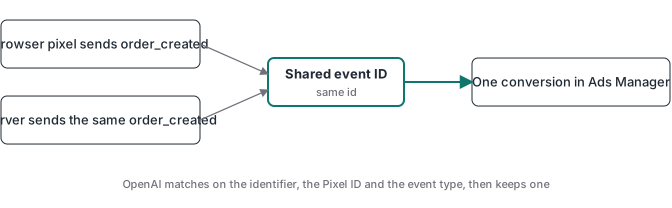
Send the same value in the pixel’s event_id and the Conversions API’s id. OpenAI matches on the combination of that identifier, the Pixel ID, and the event type, and keeps one conversion. Custom events also have to agree on custom_event_name.
If you already run Meta with an event ID shared between the browser and the server, reuse the same identifier here. There is no reason to mint a second one, and one identifier per event is far easier to debug when a number looks wrong.
Setting it up in the right order
The provisioning is strict and it does not backfill. Do it before you send traffic, not after.
- Create a data source of type Web in Ads Manager, under Tools then Conversions. That mints the Pixel ID, which both the pixel and the Conversions API use.
- Create a conversion event bound to that data source. Pick a standard type where you can. Custom events have to match
custom_event_nameexactly, and a friendly display name is not enough. Setattribution_window_days, where the docs say to use 30. - Mint a conversion key from the Conversion keys button. That is the bearer secret for the Conversions API, and it is separate from the account-level Ads management key in Settings.
- Link the conversion event to the campaign. Nothing attributes until you do, and there is no retroactive fix.
Conversion-optimised campaigns add one more constraint: the optimisation goal has to be a single active standard event, not a custom one.
Expect a lag. Conversions show up in reporting 24 to 48 hours behind.
What ChatGPT Ads will not do for you
Two limits are worth naming before you build a plan around this channel.
Geography. As of August 2026 you can buy in the United States, United Kingdom, Canada, Australia, New Zealand, Japan and South Korea. Brazil and Mexico are listed as coming soon. The EU is not served, which OpenAI attributes to consent constraints. If your buying entity or your market is outside that list, the tracking work still applies, but the media does not exist yet.
Category. OpenAI screens restricted categories at the account level and withholds ads near sensitive topics and around minors. This is the same shape of limit every ad platform has, and no tracking setup lifts it. If you sell in health, finance, politics or religion, confirm you can advertise at all before you spend a week on measurement. Sending a cleaner signal does not make a restricted category eligible.
Reporting has a real blind spot too. The Advertiser API exposes attributed conversions only, and only at campaign, ad group and ad level. There is no endpoint that tells you whether events are arriving at all. If nothing is linked to a campaign yet, those endpoints return nothing no matter how healthy your pixel is. To confirm receipt you have to look at the Event flow view in Ads Manager, or watch the network calls to bzr.openai.com from a real browser session.
The short version
The pixel is easy. The parts that decide whether your numbers are real are the click ID and the provisioning order.
Capture oppref on the landing page, persist it, and read it back when the server sends the conversion. Point ads at final URLs so no redirect eats the query string. Share one event ID across both legs. Create the data source, the event and the key before the first click, because nothing backfills. Then check the Event flow view rather than the conversion column, because an empty conversion column with no linked campaign tells you nothing.
Get those right and ChatGPT Ads measures about as well as any other channel. Get the click ID wrong and you will have a tidy dashboard that cannot tell you which ad worked.
If you are deciding how much of an existing Meta setup can be reused, the ChatGPT Ads vs Meta CAPI comparison maps the matching fields, deduplication contracts, geography, and seven-day event limit side by side.
If the code is installed but the conversion is still missing, use the ChatGPT Ads conversion troubleshooting checklist to separate event receipt, redirect loss, click attribution, and campaign linkage.