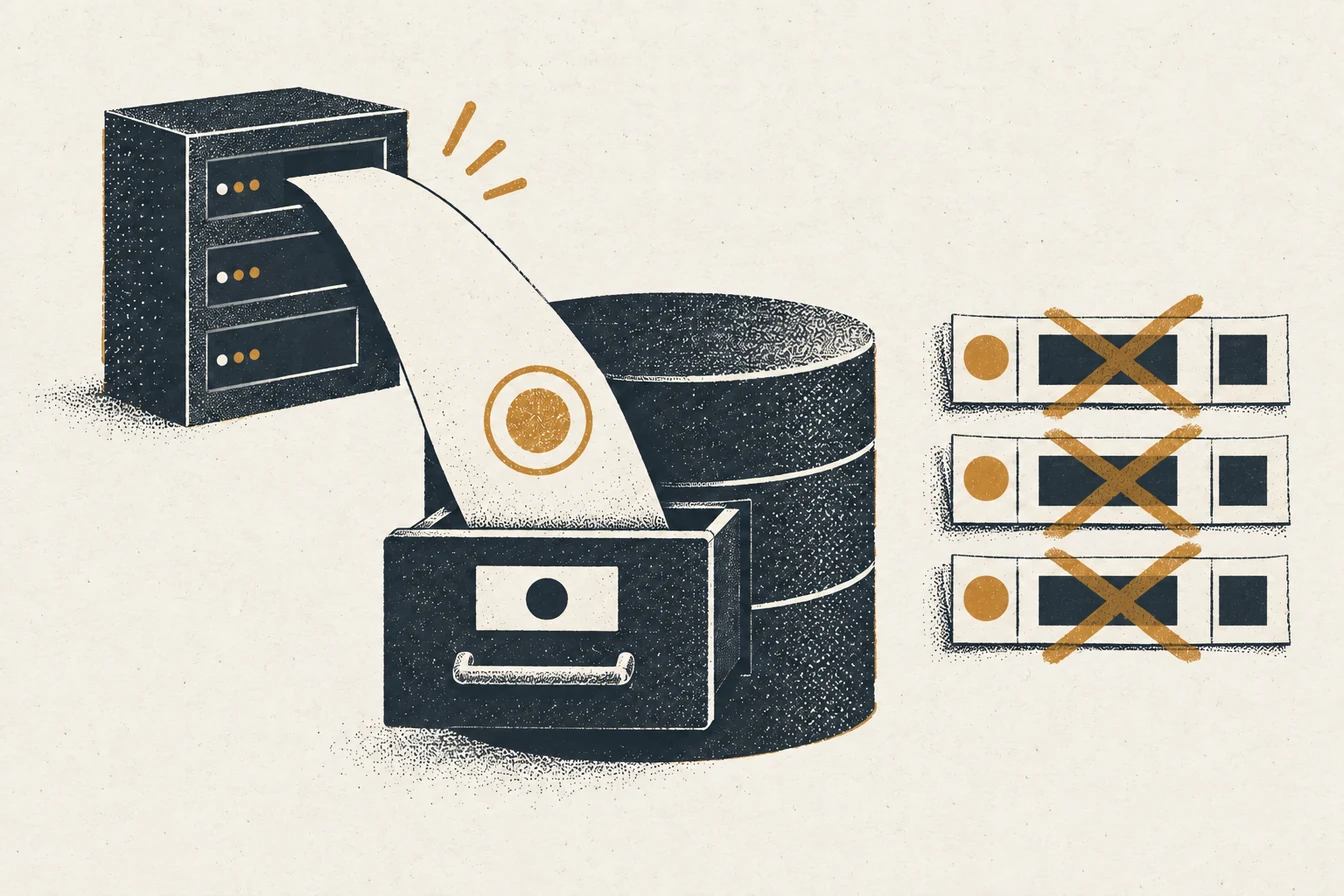
An sGTM event database is a Postgres table that records selected server container events after a client has claimed the incoming request. Supabase gives you a managed Postgres database and an HTTPS Data API, so a server tag or a private write service can store an event receipt without sending rows to a spreadsheet. That receipt helps you answer a practical question: did this event reach your container, and was it written once?
The table is an audit trail, not proof that an ad platform accepted or attributed a conversion. Keep a stable event identifier, check the HTTP response and the stored row, then compare the destination’s own report. If your current Google Sheets tag writes three identical rows per fire, establish where the copies start before you migrate. A database unique constraint can block a repeat, but it cannot fix three upstream events or turn an unverified purchase into a paid one.
Why put sGTM events in Postgres instead of Google Sheets?
Postgres lets you state what makes a row unique, choose column types, index the questions you actually ask, and retain a controlled history of incoming events. A spreadsheet is useful for a quick manual inspection, but repeated writes and growing event volume make it harder to distinguish a real retry from a second event source. In one reported setup, a Sheets write produced three identical rows for a single apparent fire. That observation is a debugging clue, not a general claim that Sheets triples every write. Before moving storage, capture one test event with a known ID and count the incoming requests, server events, tag executions, outbound HTTP calls, and stored rows. If any earlier count is already three, moving the last step to Postgres merely hides the duplication behind a constraint. The sGTM request debug ladder helps locate the first extra copy.
For an operational log, a small schema is often enough:
| Field | Purpose |
|---|---|
event_id |
Stable key carried through retries for the same business event |
event_name |
Name received or normalized in the server container |
occurred_at |
When the underlying action happened, as an ISO 8601 timestamp |
received_at |
When your database accepted the row, set by Postgres |
source |
Which controlled route produced the event |
payload |
Minimal JSON fields needed for debugging, with a retention limit |
Do not dump every request header or customer identifier into payload. Decide what evidence you need, who can query it, and when it should be deleted. An event database can become a sensitive data store surprisingly quickly.
What is the safest route from a server tag to Supabase?
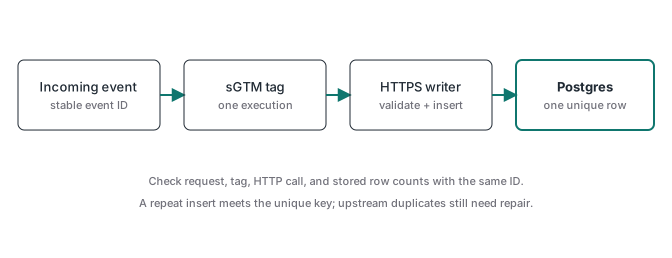
The useful route starts with an incoming request, passes through an sGTM client and a selected server tag, and ends with a controlled HTTPS writer inserting a Postgres row. Google’s server-side Tag Manager documentation describes the client and tag model, while its template permissions reference documents the send_http permission needed for outbound requests. A custom tag can make an HTTPS request, but its trigger still decides how many times it runs. Gate the logging tag to the event names you need. Do not make every page view and every outgoing conversion attempt an unlimited database write by default.
For a simple private implementation, the server tag sends a compact JSON body to a write service you control. That service authenticates the caller, validates fields, applies an idempotency key, and writes to Postgres. If the tag calls Supabase’s Data API directly, its credential is still a server-side secret: restrict who can edit or preview the container and rotate it if exposed. Supabase’s Data REST API guide puts the API under the project URL at /rest/v1/. Configure the final table URL in one place, rather than concatenating a base that may already contain the route.
Keep this logging path separate from conversion delivery. A row written successfully does not prove that GA4 or an ads API counted an event. The server-side GTM guide explains how the container sits between the original request and its destinations.
How do you prevent three rows for one event?
Start with an identifier that has the same value on every retry of the same underlying action. For a paid order, that might be a source order ID paired with an event name and destination or source. For a browser action without a business ID, generate an opaque event ID once at the source and carry it unchanged. Do not generate a fresh random ID inside each server tag execution: all three copies would look unique to the database. A Postgres unique constraint on the relevant key can make repeat inserts fail or allow an intentional upsert. Choose the behavior explicitly and log conflicts so a real second business action is not silently discarded.
Then test a single event from end to end:
- Record the browser or webhook event ID and the incoming request count.
- In sGTM Preview, count events created by the claiming client and executions of the logging tag.
- In the outbound request log, count calls to the writer and read each status and body.
- Query Postgres by the same event ID; verify the row count and stored fields.
- Repeat the original request deliberately. The database should show the idempotency behavior you chose.
If three rows appear after one observed tag execution, inspect the HTTP writer for retries or fan-out. If the server container shows three executions, fix the trigger or the incoming event owners first. For purchase events, ATA’s order-ID deduplication guide shows why a stable business key matters beyond this log.
Why does a Supabase tag return a double-path 404?
Supabase documents the table endpoint as https://<project_ref>.supabase.co/rest/v1/<table>. Some sGTM templates ask for the project base URL and append /rest/v1/ themselves. Others ask for the complete table endpoint. If you paste a URL that already ends in /rest/v1/ into the first kind, the request may go to /rest/v1/rest/v1/<table> and return 404. Read the template’s URL construction or capture the actual outbound request in Preview. The exact URL is stronger evidence than the field label in a setup tutorial.
Also check the table name, exposed schema, and whether the Data API is enabled. A 404 does not identify which of those is wrong on its own. The Supabase API route guide gives the documented base and table path. Repair the path in the configuration that owns it, then send one test insert and confirm a row exists.
Which timestamp format should you send?
Send an unambiguous ISO 8601 value with a timezone, such as 2026-10-01T14:30:00Z, into a Postgres timestamptz column. A human-formatted date such as 10/01/2026 can mean different days in different locales, and a Unix millisecond number is not an ISO timestamp string. Keep occurred_at separate from a database received_at default so you can measure delivery delay without rewriting when the event happened. For a date-only column, use YYYY-MM-DD only when the business fact truly has no time of day. Supabase’s Postgres table guide shows that column types belong to the database schema, not a tag’s field label.
When an insert fails, read the response body and the table definition before changing the value. An invalid timestamp, a missing required field, and a uniqueness conflict need different fixes. Save a redacted sample payload with the exact field names and types used in your test; that makes a later template update much easier to diagnose.
What RLS policy does the insert need?
Supabase’s RLS guide distinguishes table grants from row policies. An insert needs permission for the role used by the request and, when RLS applies, an INSERT policy with an appropriate WITH CHECK condition. A missing grant can fail before a policy is evaluated. Avoid a blanket public insert policy merely to make the tag turn green: anyone with the public key could then write rows within that policy’s scope. A service-role credential bypasses RLS, so it belongs only in a trusted server environment with tightly controlled access. A private writer with its own authentication and narrow database privileges is the cleaner choice for a durable event log.
Test an authorized insert and an unauthorized insert separately. The first should create exactly one row; the second should create none. Inspect actual database state after both tests. A green sGTM Preview badge means the tag ran, and even a successful HTTP response is only the writer’s receipt until the row and its fields are verified.
Is self-hosted Postgres a sensible low-cost option?
If you already run a database securely, a private Postgres table behind your own HTTPS writer can be a sensible low-cash-cost option. It still needs storage capacity, backups, updates, credentials, access controls, monitoring, and a restore test. Do not connect a browser to Postgres or expose a database port just to avoid a managed subscription. If you want the Supabase stack on your own infrastructure, its self-hosting guide says you operate the server and database yourself and take responsibility for maintenance, security, backups, and recovery. For a single append-only receipt table, plain Postgres plus a small internal writer may be simpler than hosting the full stack. Compare total operating work with managed pricing using your expected rows and retention, not a headline plan price.
ATA’s prebuilt tracking containers focus on validated conversion delivery, especially purchases confirmed by webhook. The event database described here is an optional observability layer alongside that flow, not a claim that the ATA subscription includes a Supabase logging template. If you need a hosted server container for the implementation, ATA is a Stape Level 2 partner for professional implementations; the partner link and code MRPV20 offer 20% off the first three months. Start with the ATA membership for the container and validation workflow, then add a database only when the audit question justifies its upkeep.