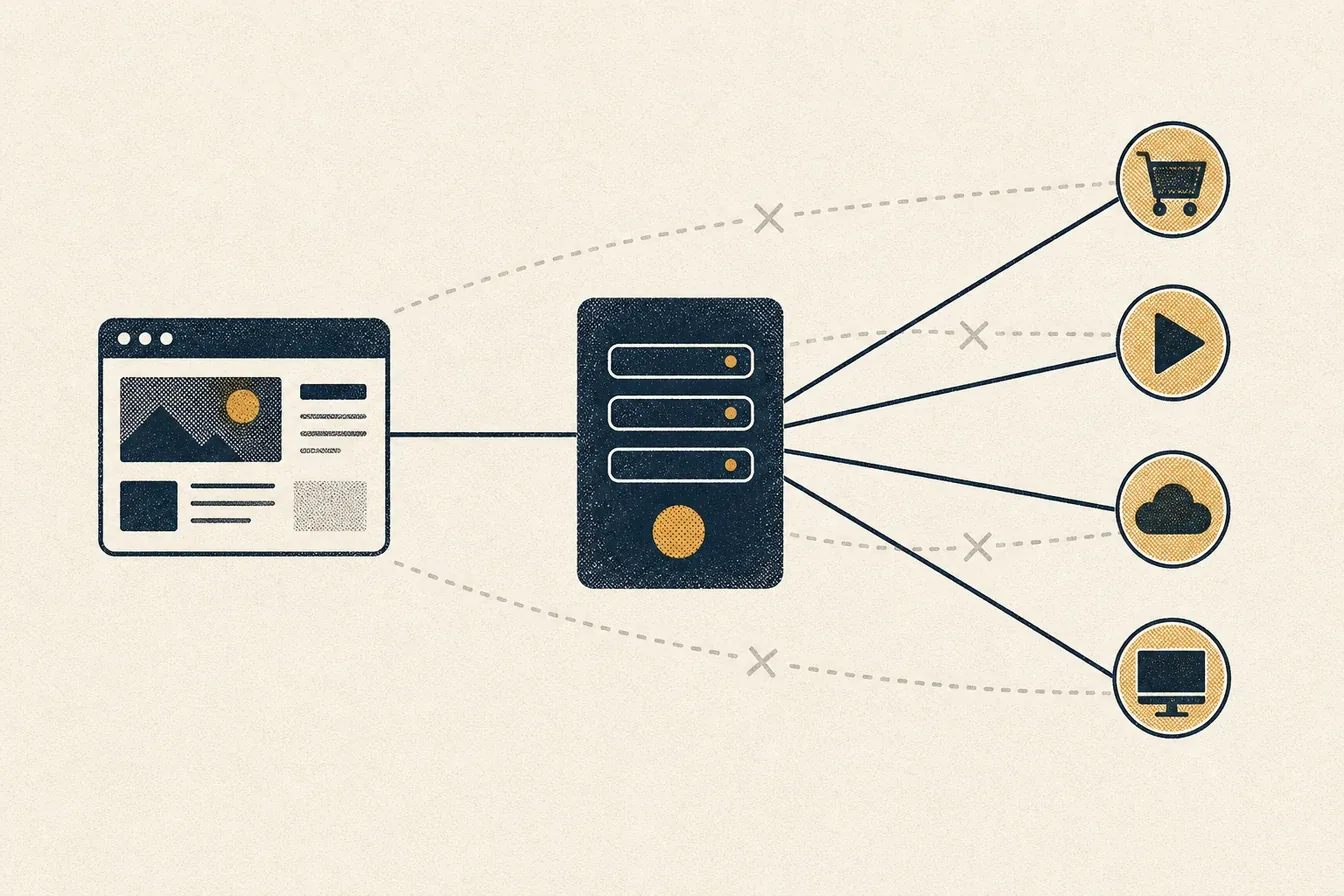
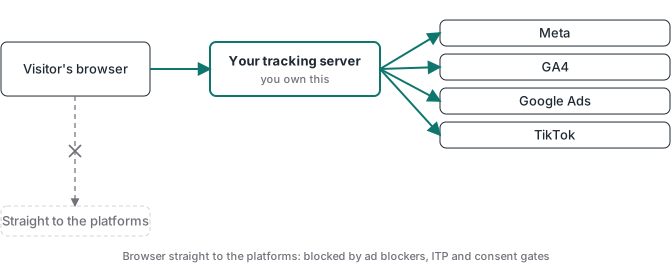
Server-side tracking is a method of collecting conversion and analytics data where your website sends events to a server you control, and that server forwards them to ad platforms like Meta, Google, and TikTok. Instead of the visitor’s browser talking directly to a dozen tracking scripts, it talks to one endpoint on your own subdomain. Your server container decides what each platform receives.
That’s the definition. The reason you’re probably reading this is the gap between what your ad platforms report and what your payment processor shows. Browser tracking has been losing data for years: ad blockers, Safari’s tracking prevention, consent banners, and shortened cookie lifetimes all take a cut. Server-side tracking is the infrastructure answer to that decay. The event recovery receipts show three observed gaps and explain how to measure your own.
I run tracking implementations for clients as my day job, and I built Advanced Tracking Academy around the containers I deploy in production. This guide covers what server-side tracking is, what it fixes, what it doesn’t fix (vendors skip this part), and what a realistic setup looks like.
How server-side tracking works
A standard client-side setup loads a pixel or tag for every platform: Meta pixel, Google tag, TikTok pixel, GA4. Each script runs in the browser, sets its own cookies, and sends data to its own third-party domain.
A server-side setup inserts one hop in the middle:
- The browser sends one event stream to a tagging server on your own subdomain, something like
data.yourdomain.com. To the browser, this is first-party traffic. - The server container receives the event and runs your logic: it can enrich the event with customer data, strip fields you don’t want to share, deduplicate, or discard junk.
- The server forwards the processed event to each platform through its API: Meta Conversions API, Google Ads, TikTok Events API, GA4.
The most common way to run this is a Google Tag Manager server container (sGTM). It works like the GTM you already know, with tags, triggers, and variables, except it runs on a server instead of in the page. You need somewhere to host that container. Google Cloud Run is one option; managed hosts like Stape are the route most non-developers take because they handle scaling, custom domains, and logs for you.
If Meta is the only platform you advertise on, there’s a narrower alternative: Meta’s own Conversions API Gateway, which runs server-side delivery for Meta without a full tagging container. I broke down that trade-off in the Conversions API Gateway vs server-side GTM guide.
Client-side vs server-side tracking
| Client-side (pixels) | Server-side | |
|---|---|---|
| Where it runs | Visitor’s browser | Your server |
| Ad blockers | Frequently blocked | Mostly unaffected |
| Cookie lifetime in Safari | Capped as low as 7 days | First-party cookies, extendable |
| Page weight | One script per platform | One lightweight stream |
| Data control | Each vendor takes what its script collects | You choose every field per platform |
| Setup effort | Low | Higher (container, hosting, configuration) |
| Running cost | Free | Hosting from roughly $20/month |
Client-side tracking isn’t dead. GA4 still wants browser context, and remarketing audiences still rely on cookies being set. A good production setup is hybrid: a thin client-side layer for context, with conversions and revenue flowing through the server.
What server-side tracking actually fixes
Events survive ad blockers and browser privacy features. Blockers work from lists of known tracking domains. Your own subdomain isn’t on those lists. Safari’s Intelligent Tracking Prevention caps client-set cookies, while cookies set by your server live longer. The practical effect: more of your real conversions get counted.
Better match quality, better optimization. Platforms like Meta grade every event you send by how well it identifies the person (Meta calls this Event Match Quality). Server-side events can carry hashed emails, phone numbers, and order data that a browser pixel never sees. Higher match quality means the algorithm learns from more of your actual buyers, which is the whole point of conversion tracking.
You control the data flow. In a client-side setup, each vendor’s script collects whatever it wants. In a server container, you write the contract: this platform gets the order value, that one gets a hashed email, nobody gets the raw IP. For GDPR and CCPA work, that control is the difference between hoping vendors behave and enforcing it.
Lighter pages. Every tracking script you move off the page is JavaScript the browser no longer downloads and executes. On script-heavy funnels the speed difference is measurable.
What server-side tracking does not fix
This is the section most vendor blogs skip, so let’s be direct.
Garbage in, garbage out. If you take a broken browser datalayer and mirror it through a server container, you now have broken data on better infrastructure. The event that fired twice in the browser still fires twice. Moving the endpoint doesn’t validate anything by itself. There’s a fair amount of skepticism about server-side tracking in marketing forums, and most of it traces back to exactly this: setups that moved the pipe without fixing what flows through it.
It doesn’t replace consent. A server container must respect consent state like any pixel. Using your server to route data around a declined consent banner is a straight-up violation.
Attribution gaps remain. Server-side tracking recovers events that blockers and browsers were eating. It doesn’t make platform attribution models honest, and it can’t see conversions from users who genuinely opted out.
Webhook validation: the step most setups skip
Here’s the failure mode I see most often in audits: the purchase event fires when the visitor reaches the thank-you page. Refresh the page, the event fires again. Bot hits the URL, event fires. Payment fails after redirect, event fires anyway. Your ad platform now optimizes toward “people who load a URL,” not buyers.
The fix is to make the payment gateway the source of truth. Stripe, or whatever processor you use, sends a webhook to your server when a charge is actually confirmed. The server container matches that webhook against the stored browser session (click IDs, attribution data) and only then sends the purchase to Meta, Google, and TikTok. Every event your platforms receive corresponds to real, settled money.
That validation layer is what separates server-side tracking as “endpoint substitution” from server-side tracking as data you can trust. It’s also the architecture every ATA container ships with, because I stopped trusting thank-you-page events years ago.
How to set up server-side tracking
A realistic path, whether you build it yourself or deploy a pre-built container:
- Provision a server container. Create the sGTM container in your GTM account, then host it. A managed host gets you running in minutes; we work on Stape’s infrastructure for this.
- Point a first-party subdomain at it. Something like
data.yourdomain.com, so browser requests stay first-party. - Route your client events to the server. The GA4 tag can act as the transport: the browser sends one stream to your subdomain, and the server container fans it out.
- Configure the platform tags. Meta CAPI, Google Ads, TikTok Events API, GA4, each with deduplication so platforms don’t count browser and server copies of the same event twice.
- Add webhook validation for purchases. Connect your payment gateway’s webhook, match it against stored sessions, and gate the purchase event on confirmed payment.
- Test before trusting. Preview mode on the server container, test transactions end to end, and check what each platform received.
Building all of this from scratch is days to weeks of work the first time, and steps 4 and 5 are where most DIY setups quietly go wrong. That gap is why ATA exists: the containers are pre-built and webhook validation is already wired, so the import-configure-deploy cycle takes under an hour. You bring your API keys, the architecture is done.
What it costs
Three numbers to budget:
- Container hosting: managed sGTM hosting starts around $20/month per site. Google Cloud Run can be cheaper at low traffic but you operate it yourself.
- Implementation: agencies charge anywhere from $500 to $2,000+ for a server-side setup with CAPI. If you implement for clients, that’s the service you can now deliver faster.
- Your time: the real variable. Pre-built containers compress it from weeks to about an hour; hand-built setups compress nothing.
For most businesses spending real money on ads, recovering lost conversions pays for the hosting many times over. If your monthly ad spend is small, fix your offer first and your tracking second.
Where to go from here
If you’re evaluating server-side tracking for your own funnel or for clients, the next thing worth reading is how the Meta Conversions API works through a GTM server container, including the deduplication and webhook-validation steps most setups get wrong. For the purchase-tracking case end to end, the Stripe conversion tracking guide shows how a confirmed charge becomes the one event every platform reads from. The server-side GTM guide covers the container itself: what sGTM means, how it differs from the browser container, and where to host it.
And if you’d rather deploy than build: see what’s inside ATA. Pre-built GTM server containers, webhook validation included, $27/month with the price locked while you stay subscribed.